On this page
Why phone calls are 8 kHz and speech models are 16 kHz
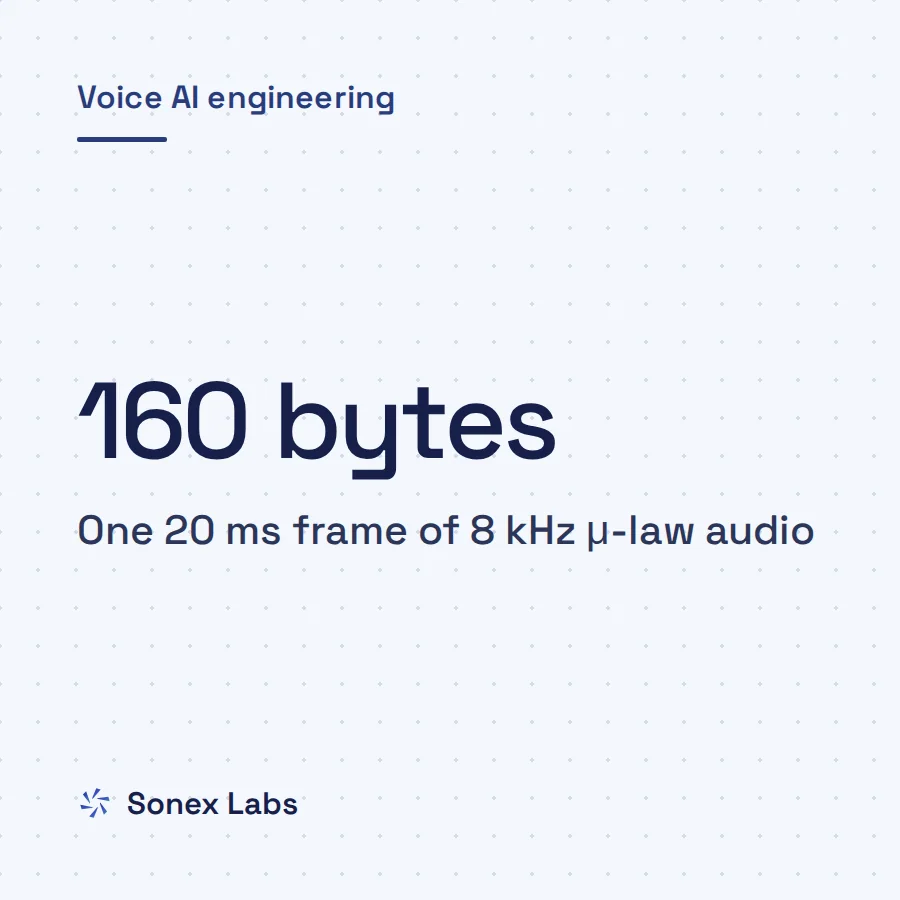
The telephone network was built around narrowband speech, and it still is. G.711, the ITU standard codec behind most ordinary calls, samples the voice 8,000 times a second and stores each sample in 8 bits (ITU-T G.711). That is 64 kbit/s, from 8,000 samples × 8 bits. The sampling theorem says a signal can only represent frequencies up to half its sample rate, so an 8 kHz call carries nothing above 4 kHz.
Modern speech models mostly learn from wideband audio, sampled at 16 kHz, which keeps frequencies up to 8 kHz. Whisper, for example, fixes its input rate in code as SAMPLE_RATE = 16000 (openai/whisper audio.py). Many voice activity detectors (VAD, the models that decide whether a frame contains speech) and turn detectors follow the same convention, because their training data was recorded on microphones rather than phone lines.
Carriers that stream call audio to your server keep the phone rate. Twilio Media Streams always send audio/x-mulaw at 8000 Hz, in both directions (Twilio WebSocket messages). μ-law is the G.711 encoding that squeezes each sample into 8 bits on a logarithmic scale; the Twilio Media Streams guide to μ-law and silent calls covers it in depth. Exotel's Voicebot applet sends 16-bit PCM at 8 kHz by default, and offers 16 or 24 kHz if you add a sample-rate parameter such as ?sample-rate=16000 to the WebSocket URL (Exotel Stream and Voicebot docs).
Why a sample-rate mismatch fails without an error
A sample-rate mismatch is silent because raw audio does not say what rate it is. A stream of 16-bit PCM (pulse-code modulation, plain numbers for each sample) carries no header. The rate travels separately, as a function parameter or a label on a frame, and any component that trusts the wrong label will read the numbers wrongly.
Suppose a component reads 8,000 samples a second as though they were 16,000. It sees half a second of audio where a full second was spoken, so the speech plays at twice the speed with every frequency doubled, which is one octave higher. The model still returns an answer, usually a confident and wrong one. Transcripts get worse, voice activity detection fires at odd moments, and a turn detector decides the caller has finished when they have not.
Hosted speech-to-text services avoid the problem by asking you to declare the format. Deepgram, for example, accepts mulaw, alaw and linear16 encodings and requires a sample rate whenever you set the encoding (Deepgram encoding docs). Declaring it correctly matters as much as resampling, because a service told 16000 for 8 kHz audio makes the same mistake a local model does. For local models, decode μ-law to 16-bit linear PCM first, since VAD, STT and turn models are almost always trained on linear samples.
What happened with Smart Turn v3 on Twilio calls
The clearest public example is Pipecat issue 3844, "Smart Turn v3 silently breaks when audio_in_sample_rate=8000", opened on 26 February 2026 (pipecat issue 3844). Pipecat is an open-source Python framework for voice agents, and its Twilio guide told developers to set audio_in_sample_rate and audio_out_sample_rate to 8000. Pipecat's default is 16000, so only teams following the telephony advice were exposed.
Smart Turn is a model that predicts from the audio whether the caller has finished speaking. Its README says it takes 16 kHz mono PCM (Smart Turn README), and its feature extractor hard-coded sampling_rate=16000. Pipecat injected it automatically as the default way to decide that a turn had ended, so anyone on the Twilio settings was running a turn detector on audio it read at double speed.
The reporter saw "aggressive/incorrect turn predictions with no errors or warnings". In stress tests with pauses and spelled-out numbers, the bot interrupted callers fairly reliably with default settings. On the first 100 English samples of the Smart Turn test set, the same user measured 98% accuracy at 16 kHz and 60% once the samples were downsampled to 8 kHz.
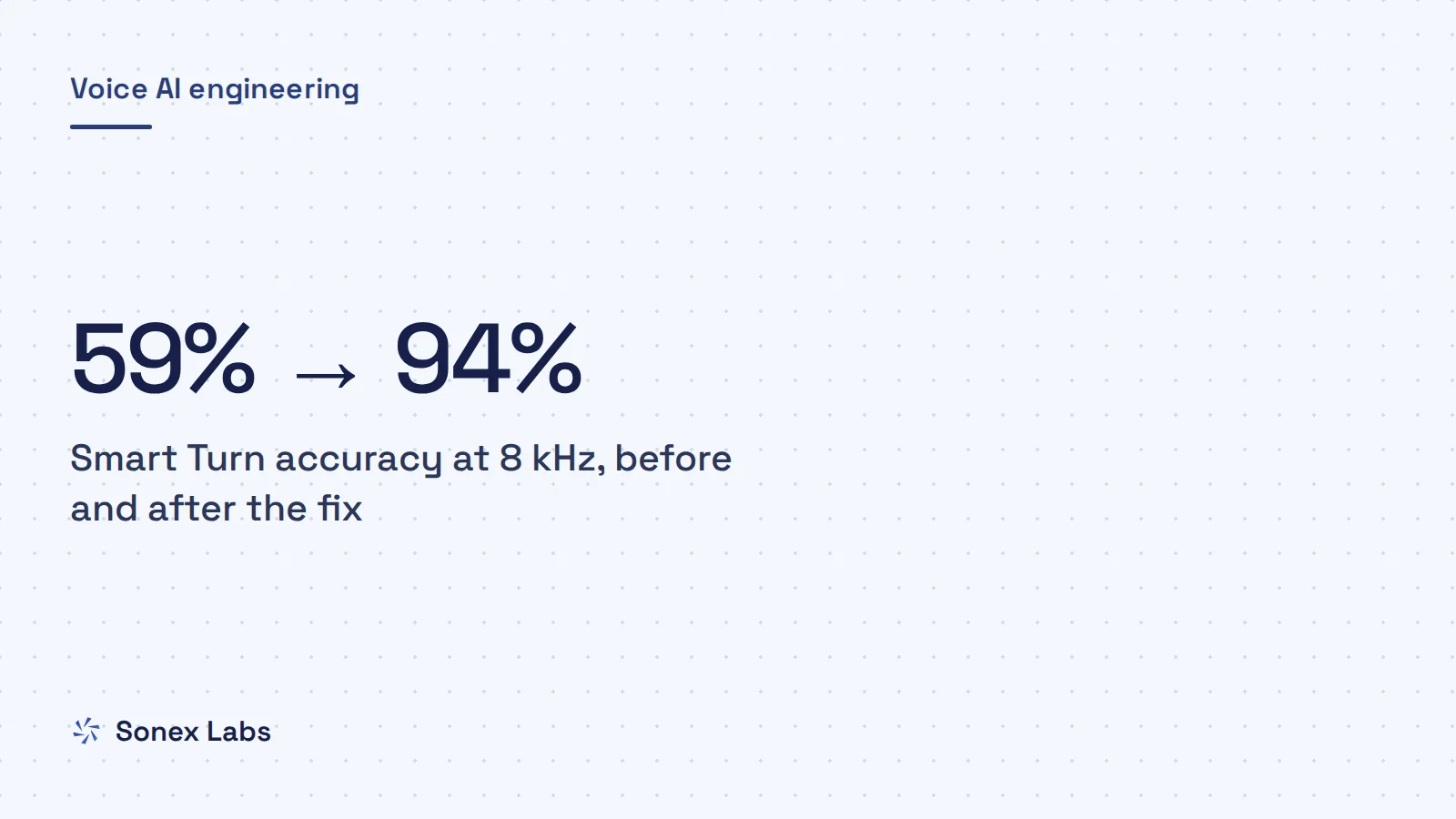
Pull request 3857 fixed it by resampling to 16 kHz with SOXR, a high-quality resampling library, inside the Smart Turn analyser, and by logging a one-time warning when it does (pipecat PR 3857). It was merged on 2 March 2026. On a 100-sample retest the user measured 59% before the fix and 94% after, and put the remaining gap down to the downsampling and upsampling.
Which speech models expect 16 kHz
Before you blame the phone line, list each component that touches audio and the rate it expects. The pattern in the table is consistent: models expect 16 kHz unless their documentation says otherwise, and carriers deliver 8 kHz unless you ask for something else. Silero VAD is the useful exception, since it runs natively at either 8 or 16 kHz.
Some models are trained to handle the phone band. NVIDIA's NeMo telephony tutorial explains that its pretrained English models were trained on mixed sample rates, including the Fisher and Switchboard datasets of conversational telephone speech at 8 kHz (NeMo ASR for telephony speech). NeMo resamples incoming files to 16 kHz before inference, so 8 kHz input arrives at the rate the model reads and in a band it has heard before.
| Component | What it expects | What to do on phone calls |
|---|---|---|
| Whisper (openai/whisper)Source: openai/whisper audio.py | 16 kHz; SAMPLE_RATE = 16000 | load_audio resamples files through ffmpeg; streaming code that passes raw arrays must resample itself |
| Smart Turn v3Source: Smart Turn README; pipecat PR 3857 | 16 kHz mono PCM, up to 8 seconds | Pipecat resamples internally since PR 3857; check your version or resample first |
| Silero VADSource: silero-vad README | 8 kHz or 16 kHz natively | Run it at 8 kHz as is; other rates must be resampled |
| Deepgram streamingSource: Deepgram encoding docs | The encoding and sample rate you declare | Send encoding=mulaw with sample_rate=8000, or resample and declare 16000 |
| Twilio Media StreamsSource: Twilio WebSocket messages | Always audio/x-mulaw at 8000 Hz, both ways | Decode μ-law to PCM, then resample for each 16 kHz model |
| Exotel Voicebot appletSource: Exotel Stream and Voicebot docs | 16-bit PCM at 8 kHz by default; 16 or 24 kHz on request | Set ?sample-rate=16000 if every model wants 16 kHz, or resample yourself |
How to test your pipeline for a sample-rate mismatch
Two checks catch most mismatches: a probe inside the live pipeline and an offline A/B test on the model itself. The probe below sits right after your transport's input and compares how many seconds of audio have arrived with how much wall-clock time has passed. On a healthy call the ratio stays near 1.0, and a ratio near 0.5 or 2.0 means frames are labelled with the wrong rate somewhere upstream.
The probe cannot see a mismatch inside a model, which is what happened with Smart Turn: the frames were labelled correctly and the model ignored the label. For that, take a clean 16 kHz recording of the kind of speech your callers produce and make two copies. One is downsampled to 8 kHz and upsampled back, the other is an 8 kHz copy deliberately mislabelled as 16 kHz. Run your STT or turn model on all three files and compare.
- Make the phone-band copy: ffmpeg -i clean16k.wav -ar 8000 -ac 1 phone8k.wav, then ffmpeg -i phone8k.wav -ar 16000 phone8k_up16k.wav.
- Make the mislabelled copy: ffmpeg -i phone8k.wav -f s16le -acodec pcm_s16le phone8k.raw, then ffmpeg -f s16le -ar 16000 -ac 1 -i phone8k.raw wrong_label.wav. It plays at double speed.
- If the model scores phone8k_up16k.wav close to clean16k.wav, resampling works, and the gap that is left is the phone band itself.
- If your pipeline's output looks like the model's result on wrong_label.wav, something is passing 8 kHz audio as 16 kHz.
import time

from pipecat.frames.frames import InputAudioRawFrame
from pipecat.processors.frame_processor import FrameDirection, FrameProcessor


class SampleRateProbe(FrameProcessor):
    """Compares seconds of input audio with wall-clock seconds. Near 1.0 is healthy."""

    def __init__(self):
        super().__init__()
        self._audio_s = 0.0
        self._t0 = None
        self._last_report = 0.0

    async def process_frame(self, frame, direction: FrameDirection):
        await super().process_frame(frame, direction)
        if isinstance(frame, InputAudioRawFrame):
            now = time.monotonic()
            if self._t0 is None:
                self._t0 = now
            # 16-bit PCM: 2 bytes per sample per channel
            self._audio_s += len(frame.audio) / (2 * frame.sample_rate * frame.num_channels)
            wall = now - self._t0
            if wall > 5 and now - self._last_report > 5:
                self._last_report = now
                print(f"rate={frame.sample_rate} audio={self._audio_s:.1f}s "
                      f"wall={wall:.1f}s ratio={self._audio_s / wall:.2f}")
await self.push_frame(frame, direction)Three ways to design around the phone band
Once you know each model's rate, you can choose where resampling happens. There are three reasonable designs, and they trade safety against the work done on every call. None of them recovers the frequencies the phone network removed, so the choice is about avoiding mistakes and choosing models, not about restoring audio quality.
Run the whole pipeline at 16 kHz
The simplest design lets the carrier serializer upsample once, at the edge, and runs everything after it at 16 kHz. Pipecat does this by default when audio_in_sample_rate is left at 16000. Every 16 kHz model is then safe without anyone thinking about it.
The cost is twice the bytes through every processor: 16-bit audio is 32,000 bytes a second at 16 kHz against 16,000 at 8 kHz. The audio also has to be converted back down to 8 kHz on the way out to the carrier, which is one more place for aliasing to creep in.
Stay at 8 kHz and resample at each model
The second design keeps the pipeline at the phone rate and resamples only at the input of each model that needs 16 kHz. It lets an 8 kHz-capable VAD run at its native rate and avoids an extra conversion on the way back to the carrier. The risk is human: every new model is a new chance to forget a resampler, so add the probe and the A/B test to your release checks if you choose it.
Use models trained on phone audio
The third design uses, or fine-tunes, models on real 8 kHz call audio, so that the phone band is what they learned. A model that has only heard wideband speech may still lose accuracy on calls even when every rate is right, because the cues it relied on above 4 kHz are missing. How large that gap is depends on the model and the language, so measure it on recordings of your own callers before you decide.
Asking the carrier for a 16 kHz stream does not change this unless the call is wideband end to end, for example HD voice on both handsets with no narrowband hop in between. An ordinary phone call passes through 8 kHz somewhere, and a 16 kHz stream of it is upsampled audio. It saves you a resampling step but adds no speech detail.
One production layout: how Sonex Labs handles sample rates
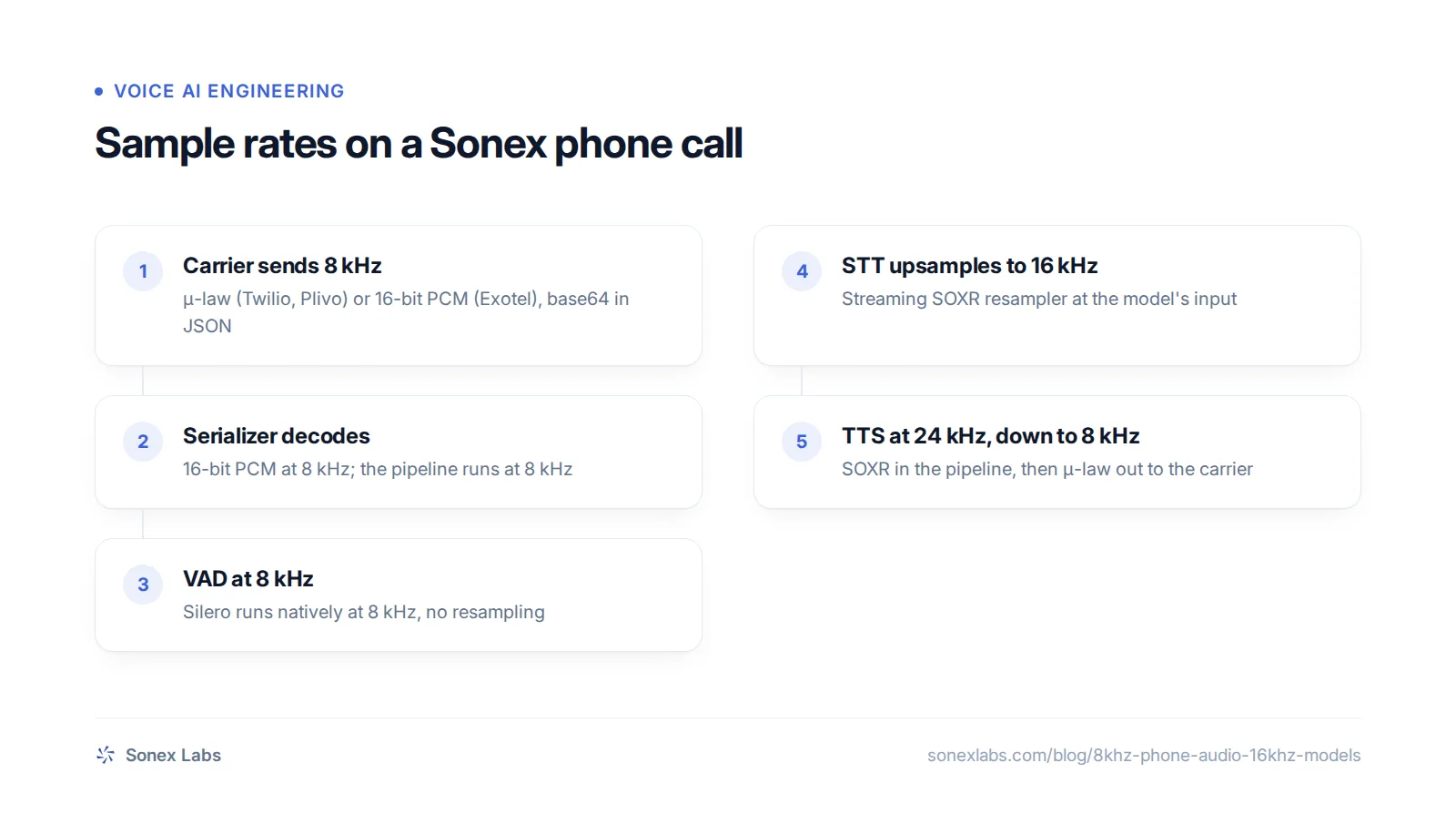
The phone pipelines at Sonex Labs, built on Pipecat, use the second design. They run at 8 kHz in and out, and each carrier's serializer decodes incoming μ-law or PCM to 16-bit PCM at 8 kHz. Silero VAD runs on that audio directly, because 8 kHz is one of its two native rates.
Valmiki, the Sonex speech-to-text model, reads 16 kHz audio, so its pipeline stage upsamples with Pipecat's streaming SOXR resampler before audio leaves for recognition. The Valmiki speech-to-text API takes 16 kHz PCM for the same reason, and the Python guide to streaming speech to text shows the format in code. No semantic turn model runs in these pipelines. When we tested Smart Turn v3 on our CPU servers it added processing time at the end of every turn, on top of the silence timer, and we chose the shorter response time.
On the way out, Pāṇini text to speech synthesises at 24 kHz and the pipeline downsamples to 8 kHz with SOXR before μ-law encoding. We resample in the pipeline rather than asking the synthesis server for 8 kHz, because we found the server's own resampler filtered aliasing worse. Aliasing is the false, lower-pitched tone that appears when frequencies above the new limit are not removed before downsampling. Pāṇini is also trained for 8 kHz phone audio, so the voice is tuned for what callers actually hear.
Sources
- pipecat issue 3844: Smart Turn v3 silently breaks when audio_in_sample_rate=8000Secondary
- pipecat pull request 3857: fix Smart Turn v3 at non-16 kHz sample rates (merged 2 March 2026)Official
- pipecat-ai/smart-turn READMEOfficial
- openai/whisper: whisper/audio.pyOfficial
- snakers4/silero-vad READMEOfficial
- Deepgram docs: EncodingOfficial
- Twilio docs: Media Streams WebSocket messagesOfficial
- Exotel docs: Working with the Stream and Voicebot appletOfficial
- ITU-T G.711: Pulse code modulation (PCM) of voice frequenciesOfficial
- NVIDIA NeMo tutorial: ASR for telephony speechOfficial
Change log: 24 Oct 2026, First published. Later the same day, rewritten as one continuous guide: added why phones are narrowband, the 98% baseline from issue 3844, NeMo's mixed-rate training as a counter-example, and the three designs as subsections; takeaways and FAQs folded into the body