On this page
How Media Streams carry audio, and where silence comes from
A Media Streams call is a WebSocket between Twilio and your server that carries JSON messages. Twilio sends a start message that names the stream, then a stream of media messages with base64-encoded caller audio. To speak, your server sends media messages back, which Twilio buffers and plays in the order received (Twilio WebSocket messages). Nothing in that exchange returns an error when your audio cannot be played, so a mistake shows up only as silence on the caller's side.
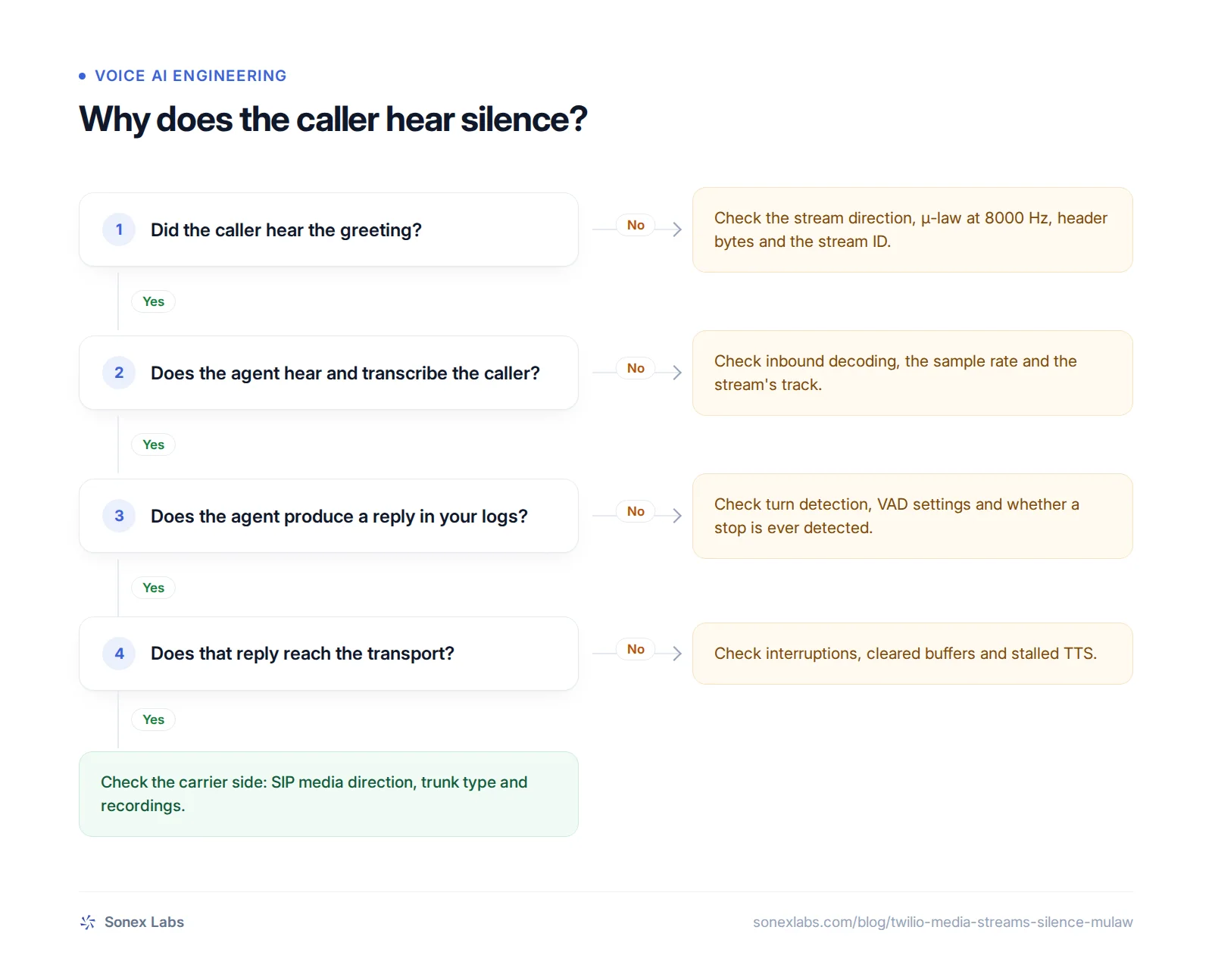
That makes timing the best clue. If the caller never hears anything, not even the greeting, the problem is almost always in how audio leaves your server: the stream direction, the encoding, the header bytes or the stream ID. If the greeting plays and nothing follows, the outbound path has worked at least once, so look at what happens after it.
Both symptoms appear in public threads. A Stack Overflow question titled "Call Connects, Transcripts Work, But Caller Hears Silence" (May 2025, 547 views, no accepted answer) is the first kind (Stack Overflow 79624529). LiveKit's issue "Twilio SIP call connects to LiveKit Agent: only introduction audio plays, then silence" (October 2025, 14 comments) is the second (livekit/agents issue 3605). The fixes differ, and the chart below sorts them by when the silence starts.
The stream must be bidirectional: <Connect>, not <Start>
Twilio has two ways to start a stream, and only one of them plays audio back. Its TwiML reference says <Start><Stream> creates a unidirectional stream and <Connect><Stream> a bidirectional one (TwiML <Stream>). A unidirectional stream lets you listen to the call, which suits transcription or analytics, but anything you send back is not played. A voice agent needs the bidirectional form.
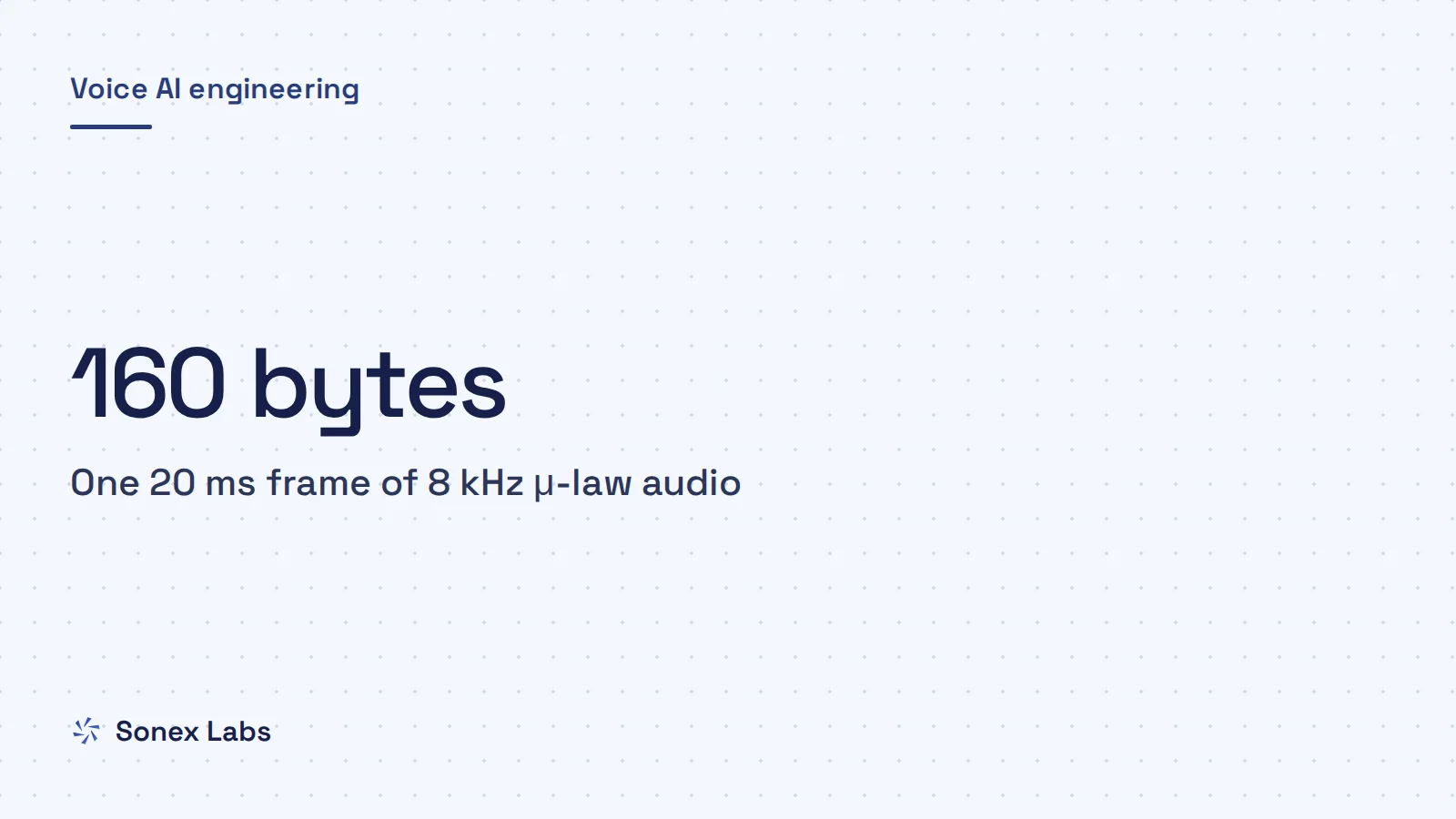
That is our reading of the unanswered Stack Overflow question. Its author did almost everything right: ElevenLabs audio converted with ffmpeg to μ-law at 8000 Hz and sent in 160-byte frames, which is 20 ms of audio (8,000 samples a second × 0.02 s × 1 byte). But the TwiML they posted used <Start><Stream track="both_tracks">. The one answer suggests changing a track field in the messages; given Twilio's documentation, the verb is the likelier cause. We have not reproduced their setup, so treat this as an informed diagnosis rather than a confirmed one.
Two consequences of <Connect><Stream> catch people out. A bidirectional stream receives only the caller's inbound track, so the track attribute no longer applies. And Twilio runs no TwiML after <Connect><Stream> until your server closes the WebSocket, so a <Say> or <Dial> placed after it stays silent too.
The same switch on Exotel and Plivo
Other carriers have their own version of the choice. Exotel's Stream applet is one-way and its Voicebot applet two-way (Exotel Stream and Voicebot docs). Plivo's Stream element has a bidirectional attribute that defaults to false (Plivo audio streaming XML). Without it, Plivo sends the caller's audio and plays nothing back, which is why the Sonex Labs Plivo integration always sets it.
The formats differ as well. Exotel's Voicebot streams raw 16-bit little-endian PCM at 8 kHz by default, not μ-law, and expects the same format back. Plivo accepts either linear PCM at 8, 16 or 24 kHz or μ-law at 8 kHz, set by the stream's content type. A serializer written for Twilio's μ-law therefore produces noise or silence on the other two unless it is told what they expect, which is why connecting an agent to an Indian carrier starts with the stream format.
Encoding, header bytes and stream IDs
Once the stream is bidirectional, the audio must match what Twilio expects byte for byte. The rule is short: "The payload must be encoded audio/x-mulaw with a sample rate of 8000", base64-encoded. It must not contain audio file header bytes, which Twilio says cause the media to stream incorrectly. μ-law is the G.711 telephone encoding that compresses each 16-bit sample into 8 bits on a logarithmic scale, and the guide to 8 kHz phone audio and 16 kHz models explains why calls still run at 8,000 samples a second.
Header bytes are the classic mistake. In the most-viewed question on the subject, "Encode LINEAR16 audio to Twilio media audio/x-mulaw" (5,242 views), the developer converted text-to-speech output with a WAV library and heard only noise (Stack Overflow 64003753). The top answer found the cause: the library's toBase64() included the WAV header, and Twilio needed only the raw samples. The same happens in Python when you base64 a whole .wav file instead of its frames.
Static or hiss instead of speech usually means the bytes are not what the carrier thinks they are: a header played as audio, 16-bit PCM sent where μ-law is expected, or the wrong sample rate. The quickest test is to decode one outgoing payload yourself, save it in the format you intended and listen. If it sounds wrong on your laptop, it will sound wrong on the call.
Chunk size matters less than people expect. Twilio says the audio can be of any size per message. Many implementations send 20 ms frames of 160 bytes because that matches telephony packet sizes and keeps interruptions responsive, but larger chunks play too, as long as you clear them when the caller interrupts.
The stream ID on every message
The other silent failure is the stream ID. Every message you send back must carry the streamSid from Twilio's start message, or Twilio has nowhere to route it. Plivo's equivalent is the streamId field. In the Sonex Labs Plivo serializer, the comment on that line notes that the caller hears nothing at all if the ID is missing.
Parsing the opening messages is where the ID usually goes missing. Exotel gave us a variant of this: an early parser read exactly two opening messages, sometimes missed the start payload, and ended up with a blank stream ID and a dropped call. Logging the start event's ID, and checking that every outgoing message carries it, catches the problem on the first test call.
import audioop  # removed in Python 3.13; there: pip install audioop-lts
import base64
import json
import wave

import numpy as np
import soxr


def wav_to_twilio_media(path: str, stream_sid: str) -> str:
    """Read a 16-bit mono WAV, drop the header, and build one Twilio media message."""
    with wave.open(path, "rb") as w:
        if w.getsampwidth() != 2 or w.getnchannels() != 1:
            raise ValueError("expected 16-bit mono PCM")
        rate = w.getframerate()
        pcm = w.readframes(w.getnframes())  # samples only, no header

    samples = np.frombuffer(pcm, dtype=np.int16)
    if rate != 8000:
        samples = soxr.resample(samples, rate, 8000)  # filtered resampling
    mulaw = audioop.lin2ulaw(samples.astype(np.int16).tobytes(), 2)

    return json.dumps({
        "event": "media",
        "streamSid": stream_sid,
        "media": {"payload": base64.b64encode(mulaw).decode("ascii")},
})Greeting, then silence: the turn or the media path
If the greeting plays, follow the caller's audio through your pipeline before touching the codec. Check that inbound frames are decoded and labelled at the right sample rate, because a mismatch makes voice activity detection and turn detection misfire without any error. Then check that a turn stop is ever detected. An agent that never decides the caller has finished never replies, and from the caller's side that sounds exactly like a dead line.
Interruptions are the next suspect. Pipecat issue 2460 (August 2025) reported that barge-in, the caller talking over the agent, did not work over a FastAPI WebSocket transport, because the user-started-speaking events never appeared (pipecat issue 2460). The reporter's workaround of signalling the client separately added 3 to 5 seconds of delay. If your agent stops talking when the caller speaks but never resumes, look for a cleared buffer or a cancelled task that is never restarted. Why a voice bot stops when a caller says "haan" or "hmm" covers the opposite problem, an agent that is interrupted too easily.
With SIP in the path, the media direction can fail even though call signalling works. SIP (Session Initiation Protocol) sets up the call, while the audio travels separately, so a call can connect with media flowing only one way. In the LiveKit thread, one reporter's calls started working when they switched from a Twilio Elastic SIP trunk to connecting the call directly from the webhook, and another said the problem came and went.
LiveKit's staff asked for call IDs, asked whether a TLS trunk was in use and suspected something specific to the account or carrier. The lesson is to record both sides. If your own recording of the call has the agent's reply and the carrier's recording does not, the fault lies between you and the carrier, not in your agent.
Gaps between words and speech that runs on after an interruption
Choppy audio and audio that will not stop are pacing problems, not codec problems. Pipecat issue 3315 (December 2025, 13 comments) reported gaps of 100 to 350 ms between words from the FastAPI WebSocket transport (pipecat issue 3315). The reporter confirmed it was the transport by comparing a local recording, which was clean, with Twilio's, which was not. Setting the transport's write-pacing sleep to zero removed the gaps but made the idle-user timer fire constantly, which shows how closely that pacing is tied to the rest of the pipeline.
Carriers buffer what you send, so you must tell them when to drop it. Twilio's clear message empties all buffered audio and returns any pending mark messages, and a mark comes back when the audio before it has finished playing. Plivo's clearAudio event does the same job (Plivo stream event protocol). Without a clear, the agent keeps speaking over the caller for seconds after they start talking, so the Sonex Labs serializers send the carrier's clear event the moment the caller does.
Marks are also the honest way to know what the caller heard. Your own timers measure when audio left your server, not when it finished playing on the phone, and the two drift apart as the carrier's buffer fills. If the agent needs to know whether a sentence was heard in full, for instance before a live transfer to a human agent, wait for its mark.
Exotel's chunk-size rules
Exotel adds chunk rules of its own. Its Voicebot documentation sets a minimum of 3.2 KB, a maximum of 100 KB and a multiple of 320 bytes, and warns that sizes outside the rules leave gaps in playback. Exotel labels 3.2 KB as 100 ms.
At its default of 16-bit audio at 8 kHz, though, 3,200 bytes is 200 ms by our arithmetic (16,000 bytes a second), and 320 bytes is 20 ms. The label matches 16 kHz audio instead, so check which sample rate your stream uses before you size the chunks.
Sources
- Stack Overflow 79624529: Twilio Media Streams + ElevenLabs + OpenAI: caller hears silenceSecondary
- Stack Overflow 64003753: Encode LINEAR16 audio to Twilio media audio/x-mulawSecondary
- livekit/agents issue 3605: Twilio SIP call connects, only introduction audio plays, then silenceSecondary
- pipecat issue 2460: interruption handling over FastAPI WebSocket not workingSecondary
- pipecat issue 3315: small gaps in audio out from FastAPIWebsocketTransportSecondary
- Twilio docs: Media Streams WebSocket messagesOfficial
- Twilio docs: TwiML <Stream>Official
- Exotel docs: Working with the Stream and Voicebot appletOfficial
- Plivo docs: Audio streaming XML (Stream element)Official
- Plivo docs: Stream event protocol (playAudio, clearAudio)Official
Change log: 24 Oct 2026, First published. Later the same day, rewritten as one continuous guide: added how Media Streams carry audio, Plivo's and Exotel's documented formats with sources, and why marks beat timers; steps, checklist, takeaways and FAQs folded into the body