Shopify chatbot
Add a free AI chatbot to your Shopify store
Build the bot here, then paste one line into theme.liquid. No app to install. Free to start, no monthly fee.
Try it free here, no account. To put it on your website you need a free account (Google, 10 seconds); we set it up from what you entered.
Hi! I'm the assistant for Desi Roots Organic Store, Chennai. How can I help you today?
On your site it can also talk: visitors press the mic and it answers by voice.
How it works
Three steps to a chatbot on your site
01
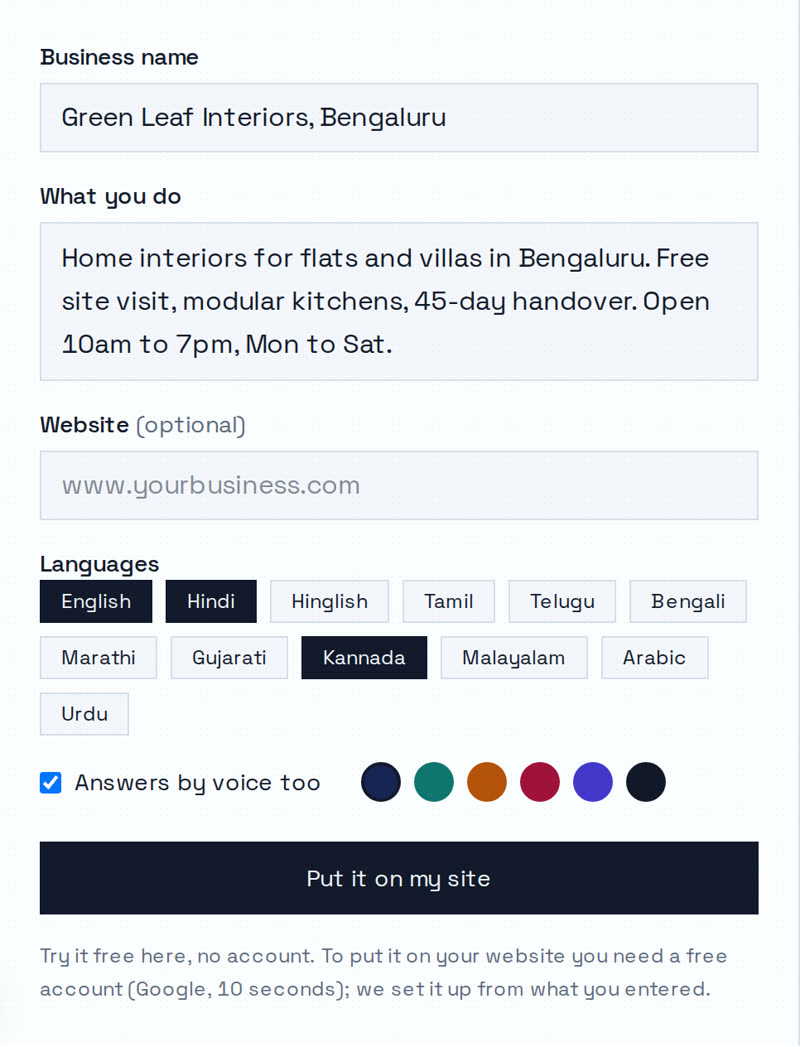
Describe your business
Name, what you do, your hours and the languages your customers use.
02
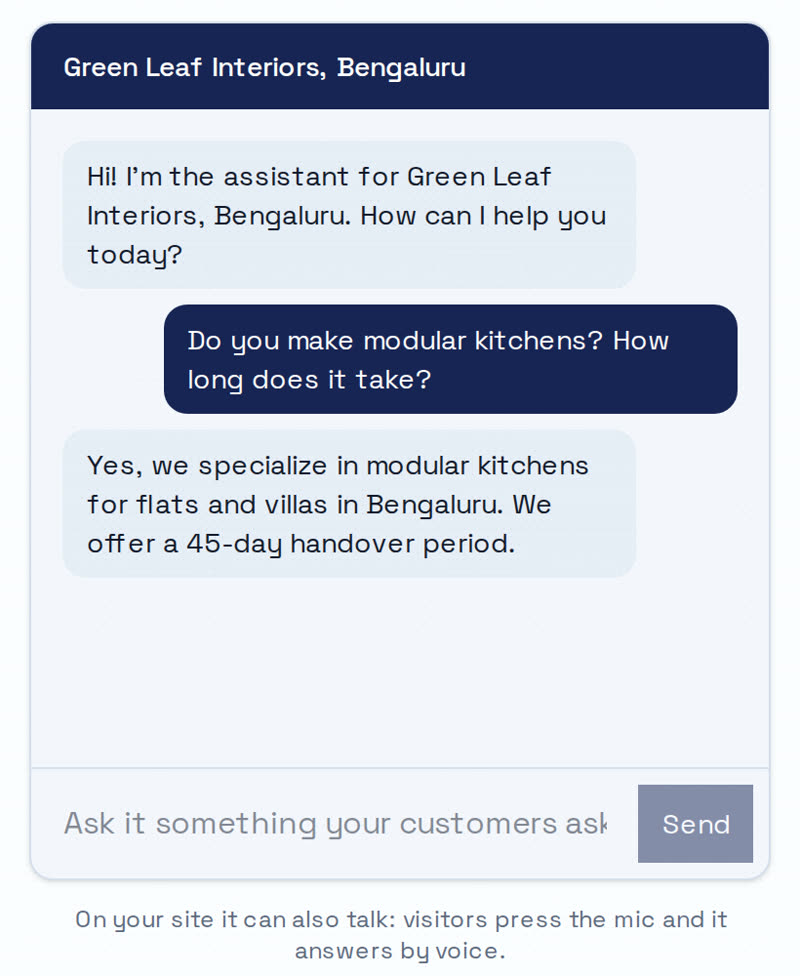
Chat with it here
Ask it what your customers ask. No account needed to try.
03
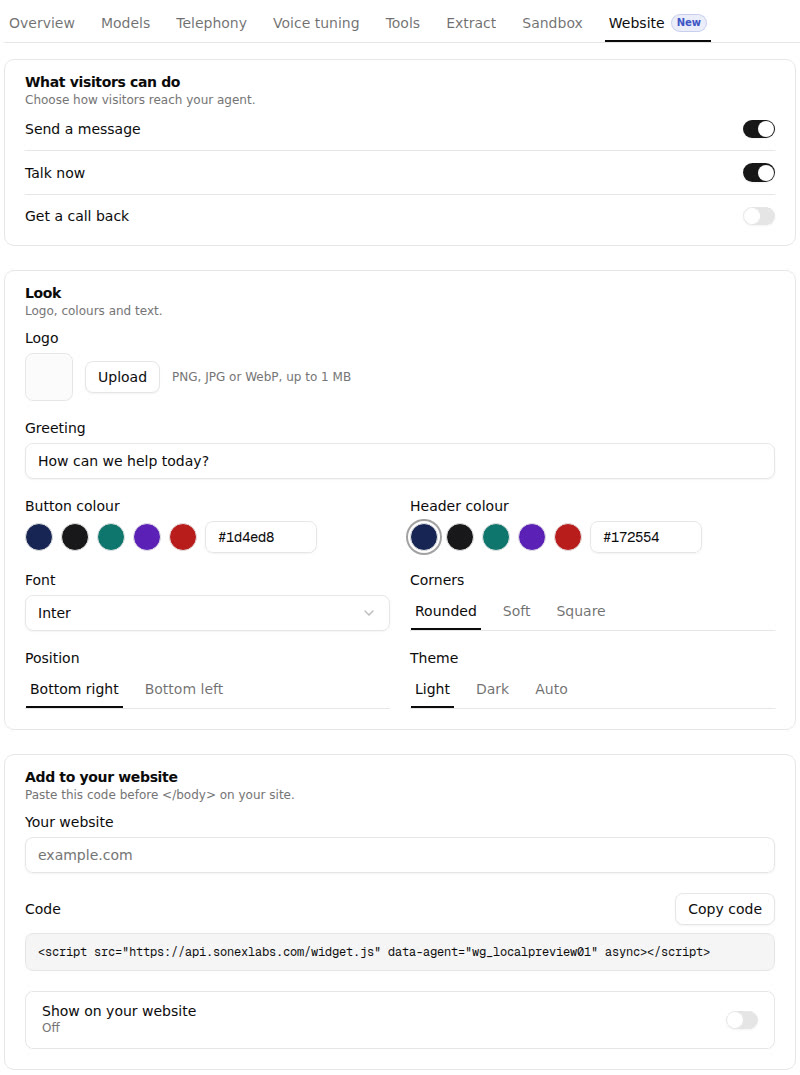
Paste one line
Copy the code from your agent's Website tab and paste it into your site.
What it answers
What Shopify shoppers ask it
Shipping
Days to their city, and when shipping is free.
Cash on delivery
Whether COD is available, and any limit.
Returns and damage
Your return rule, in the shopper's language.
Order status
Checks with your order system, or takes the order number.
Product details
Size, material and what is in the box.
Offers
Only offers you gave it; never a made-up code.
Install
Paste it into theme.liquid
1. Open the code editor
Online Store → Themes → ⋯ → Edit code.
2. Open theme.liquid
In the Layout folder.
3. Paste before </body>
Paste your line just above </body>.
4. Save
Open your store; the chat button is on every page.
Prices
What is free and what costs
| Cost | |
|---|---|
| Building and testing it on this page | Free, no account |
| Chat and voice on your website | Free credits to start, then pay as you go |
| Monthly fee | None |
| Card to start | Not needed |
| Phone calls with the same agent | $0.055 a minute |
You only pay for what visitors use. There is no plan to pick and nothing to cancel.
Compare
How Sonex compares
| Tool | Free plan | Paid from | Voice | Indian languages |
|---|---|---|---|---|
| Sonex | Free credits to start, no card | Pay as you go, no monthly fee | Mic in the website chat; phone calls $0.055/min | 250+ languages, incl. Hindi, Tamil, Telugu, Hinglish |
| Chatbase | None; 7-day trial | Basic $120/month billed yearly | Voice and telephony on paid plans | 95+ languages, incl. Hindi |
| Tidio | 50 conversations, first 50 Lyro AI conversations | Starter $24.17/month | Not listed on its pricing page | Lyro: 51 languages incl. Hindi and Bengali; not Tamil or Telugu |
| Botpress | 100 conversations a month, 3 agents | Plus $150/month billed yearly | Enterprise only | 100+ languages incl. Hindi, Tamil, Telugu, Bengali, Marathi |
Checked 18 Nov 2026
Sources: Chatbase pricing · Chatbase FAQ · Tidio pricing · Tidio Lyro languages · Botpress pricing · Botpress languages · Full comparison
Languages
Hear it in your language
One voice, the same line in six languages: "Thanks for watching. If this video helped, send it to someone who needs it."
Hindi
वीडियो देखने के लिए शुक्रिया। अगर ये काम का लगा, तो जिसे इसकी ज़रूरत है, उसे ज़रूर भेजिए।
Diya, a Sonex platform voice · 6.4 s
Bangla
ভিডিওটা দেখার জন্য ধন্যবাদ। কাজে লাগলে, যার দরকার তাকে অবশ্যই পাঠিয়ে দিন।
Diya, a Sonex platform voice · 6.0 s
Tamil
வீடியோவைப் பார்த்ததுக்கு நன்றி. இது உதவியா இருந்தா, தேவைப்படுறவங்களுக்கு கண்டிப்பா அனுப்புங்க.
Diya, a Sonex platform voice · 7.1 s
Telugu
వీడియో చూసినందుకు ధన్యవాదాలు. ఇది ఉపయోగపడితే, అవసరం ఉన్నవాళ్లకి తప్పకుండా పంపండి.
Diya, a Sonex platform voice · 6.5 s
Arabic
شكرًا على المشاهدة. إذا استفدتم من هذا الفيديو، أرسلوه لمن يحتاجه.
Diya, a Sonex platform voice · 6.1 s
Urdu
ویڈیو دیکھنے کا شکریہ۔ اگر یہ کام کی لگی، تو جسے اس کی ضرورت ہے، اُسے ضرور بھیجیں۔
Diya, a Sonex platform voice · 7.4 s
Related
You may also need
Updated 2026-11-18.
FAQ
Questions people ask
No. It is one line of code in your theme.
Online Store → Themes → Edit code → Layout → theme.liquid, just above </body>.
theme.liquid wraps every page: product, cart and collection pages.
Paste the line into the new theme's theme.liquid too. Duplicate your theme before editing code.
No. It mentions only offers you gave it and takes the shopper's number for the rest.
Building and testing is free, and a new account gets free credits with no card. Then pay as you go, no monthly fee.
It replies in Hindi, Hinglish or any of 250+ languages, by text or by voice.
Paste one line of code into the footer, with a plugin such as WPCode or in footer.php.
Sonex has no plan to choose: free to start with free credits, then pay as you go, no monthly fee.
A chatbot for your store, without an app
Build it above and paste one line into theme.liquid.